关于图片的问题
<html>
<head>
<style type="text/css">
*{padding:0px;margin:0px}
body{background-color:#19da9e}
.aa{width:1700px;height:890px;background:yellow;margin:0 auto;position:relative;}
.tu{width:60px;height:40px;float:left;background:red;}
.ff1{width:200px;height:40px;line-height:40px;background:#ffffff;outline:none;float:left;}
.ff2{width:50px;height:40px;float:left;}
.qq{width:320px;height:42px;position:absolute;top:300px;left:200px}
</style>
</head>
<body>
<div class="aa">
<div class="qq">
<div class="tu"></div>
<from>
<input type="text" class="ff1"/>
<input type="submit" class="ff2" value=""/>
</from>
</div>
</div>
</body>
</html>
求教下大神一个问题。先谢谢大家了。为啥我每次url图片的位置 。电脑显示不出来啊
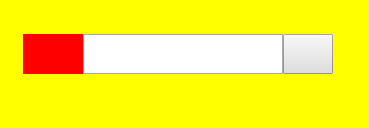
我用了url给DIV的tu用了.tu{width:60px;height:40px;float:left;background:url(1.jpg);}为什么没有了,电脑显示不出来是什么原因啊。。。很急求大神指点。 麻烦了