

-
项目启动挂死
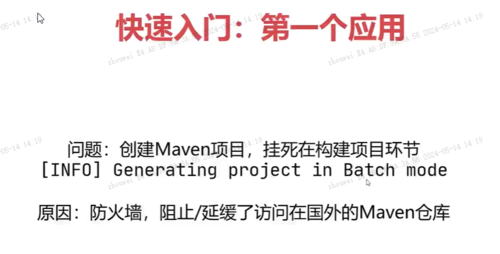
修改镜像配置在maven中的settings.xml文件中找到mirror部分,将以下代码复制进xml配置文件中就可以了,可以修改本地仓库,也在此xml中<localRepository></localRepository>
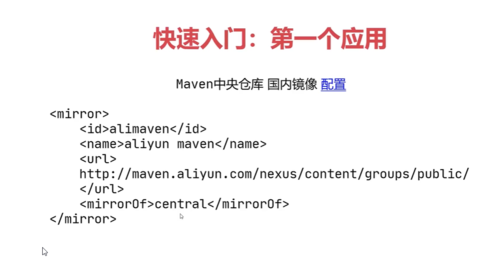 查看全部
查看全部 -
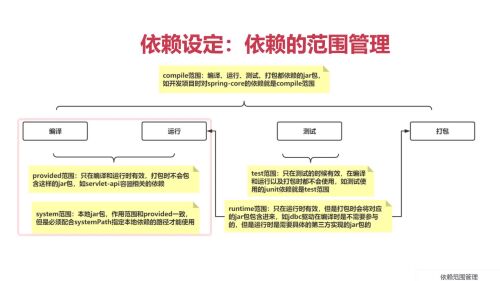
依赖范围:
compile,全环节有效,编译、运行、测试、打包
provided,编译和测试时有效
system,本地jar包与provided范围相同,但需要配置systemPath本地地址,不推荐使用
test,只在测试时有效
runtime,在运行和测试,打包时有效
查看全部 -
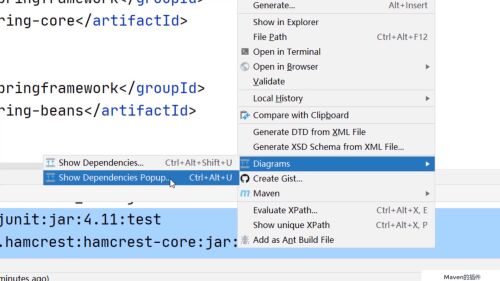
Maven项目常见插件
 查看全部
查看全部 -
3-9 archetype项目骨架加载慢的问题
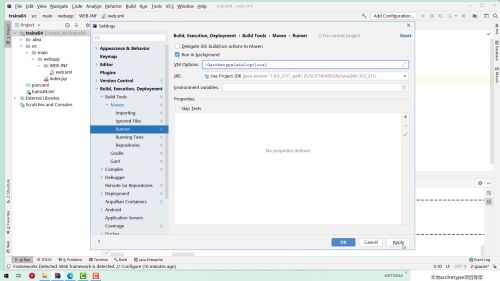 查看全部
查看全部 -
将 archetype-catalog.xml 放入下面文件夹下,更改配置
D:\apache-maven-3.9.6\usrlibs\org\apache\maven\archetype\archetype-catalog\3.2.1
查看全部 -
更新Maven插件失败:
D:\apache-maven-3.9.6\usrlibs\org\apache\maven\plugins 在本地文件夹里删除 划红线的Maven插件,重新下载
Maven 国内镜像源
<!-- 阿里镜像 -->
<mirror>
<id>alimaven</id>
<mirrorOf>central</mirrorOf>
<name>aliyun maven</name>
<url>http://maven.aliyun.com/nexus/content/repositories/central/</url>
</mirror>
<mirror>
<id>alimaven</id>
<name>aliyun maven</name>
<url>http://maven.aliyun.com/nexus/content/groups/public/</url>
<mirrorOf>central</mirrorOf>
</mirror>
<mirror>
<id>central</id>
<name>Maven Repository Switchboard</name>
<url>http://repo1.maven.org/maven2/</url>
<mirrorOf>central</mirrorOf>
</mirror>
<mirror>
<id>repo2</id>
<mirrorOf>central</mirrorOf>
<name>Human Readable Name for this Mirror.</name>
<url>http://repo2.maven.org/maven2/</url>
</mirror>
<mirror>
<id>ibiblio</id>
<mirrorOf>central</mirrorOf>
<name>Human Readable Name for this Mirror.</name>
<url>http://mirrors.ibiblio.org/pub/mirrors/maven2/</url>
</mirror>
<mirror>
<id>jboss-public-repository-group</id>
<mirrorOf>central</mirrorOf>
<name>JBoss Public Repository Group</name>
<url>http://repository.jboss.org/nexus/content/groups/public</url>
</mirror>
<mirror>
<id>google-maven-central</id>
<name>Google Maven Central</name>
<url>https://maven-central.storage.googleapis.com
</url>
<mirrorOf>central</mirrorOf>
</mirror>
<!-- 中央仓库在中国的镜像 -->
<mirror>
<id>maven.net.cn</id>
<name>oneof the central mirrors in china</name>
<url>http://maven.net.cn/content/groups/public/</url>
<mirrorOf>central</mirrorOf>
</mirror>
查看全部 -
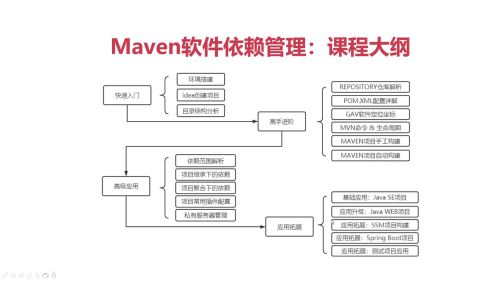
课程学习路线
查看全部 -
https://www.sonatype.com/
查看全部 -
<pluginManagement>
<plugins>
<plugin>
<groupId>org.apache.tomcat.maven</groupId>
<artifactId>tomcat6-maven-plugin</artifactId>
<version>2.2</version>
</plugin>
<plugin>
<groupId>org.apache.tomcat.maven</groupId>
<artifactId>tomcat7-maven-plugin</artifactId>
<version>2.2</version>
</plugin>
</plugins>
</pluginManagement>查看全部 -
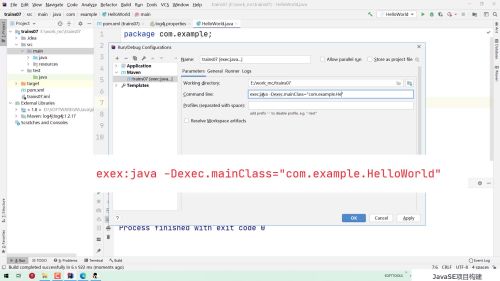
两种方式运行javaSE项目
查看全部 -
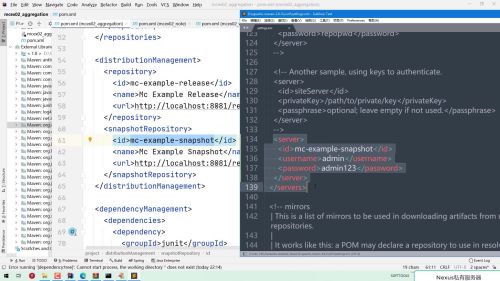
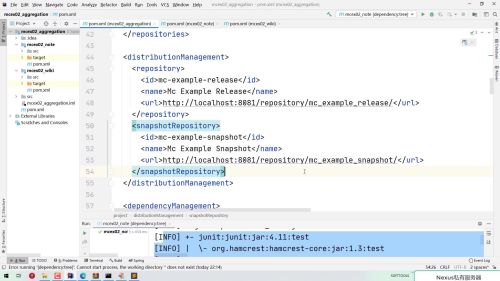
第一次发布显示是失败的,因为如果是从私有仓库下载jar包,是读取文件,但是上传包的话,是需要进行认证的,所以需要在settings.xml中添加server标签
查看全部 -
配置项目的发布仓库
<distributionManagement>
 查看全部
查看全部 -
在pom.xml中添加私有仓库
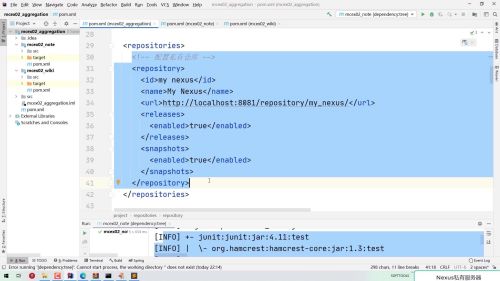 查看全部
查看全部 -
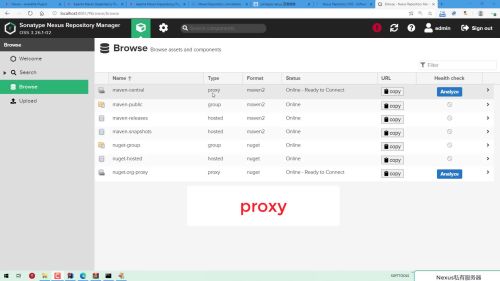
私有服务器仓库类型分三种:
1、proxy
用来代理远程仓库,是远程仓库和本地仓库之间的私有仓库
2、group
用来对于仓库进行分组管理
3、hosted
用于发布本地开发的项目,然后再做部署的操作
1)release 用来发布稳定版本软件
2)snapshot 用来发布快照版本软件
查看全部 -
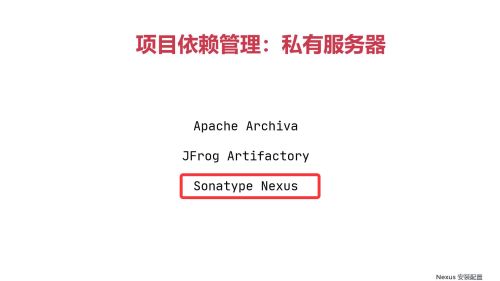
搭建私有服务器,比较常用的是Sonatype Nexus软件
 查看全部
查看全部


举报